Edit Node Boolean Values
The Boolean field lets you choose a yes or no value for each node in the chart. You have 5 Boolean fields to choose from. See more details about this field.

How to Edit
To edit the Boolean field value, tap the field and choose one of the following options:
- Yes to indicate a positive or affirmative value.
- No to indicate a negative or negative value.
Additional Operations
Configure Boolean Field
Tapping the title of the field within the Inspectors panel unlocks further customization options:
To access more options for this field, tap the field title on the Inspectors. You can:

- Rename the field to match your preferences.
- Hide the field from the chart.
Show/Hide within Node on Chart
To control whether the value of this field is displayed in the node on the chart, tap the Tree button on the top right corner of this field. You will see a menu with the following options:
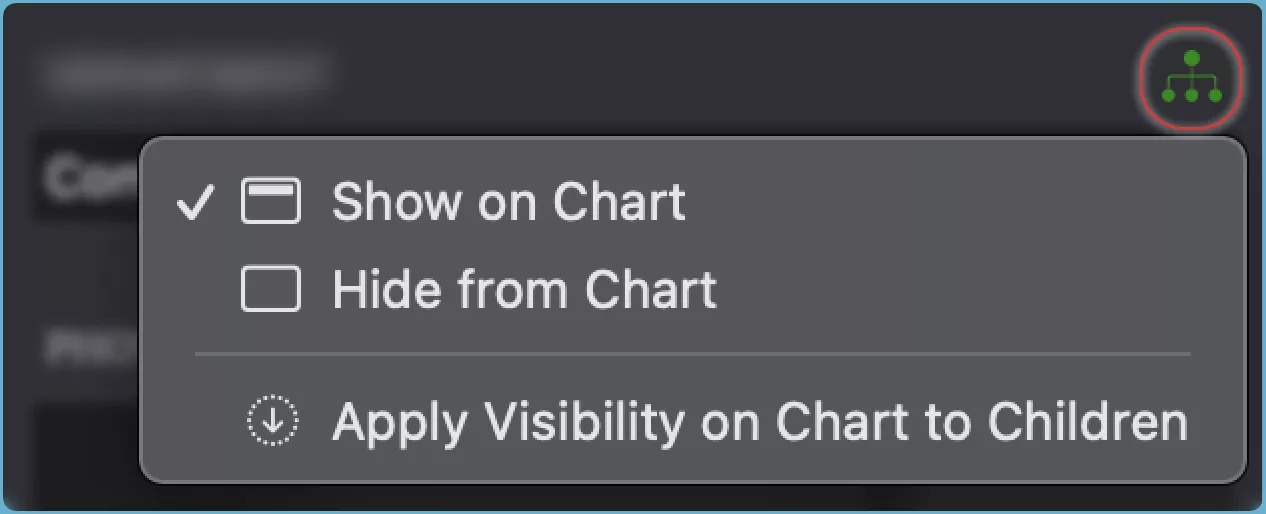
- Show the field value in the node on the chart.
- Hide the field value from the node on the chart.
- Apply to Children the same visibility setting for the field value to all the child nodes of the selected node.
TIP
See how to show or hide fields in the chart.